
When the house is full and the game’s about to start, one button should turn on the TV, bring up the game, send the sound to the real speakers and set the lights, for anyone in the family. That’s what I set up in homes across Northern New Jersey. It takes the stress out of the room, and it lets you stay with your guests instead of playing tech support.
I’m Ryan Herd, the founder of One Sound Choice. I’ve spent over 35 years in tech, and I’m a former Mayor of Pequannock, two terms and eight years on the council. This week I mostly want to say thank you. Thank you to every family who trusted my team in their home this year, and to everyone who’s read my notes this fall.
If one room in your house always turns into a remote hunt, here’s how one button can fix it, or call me or text me at (973) 945-5275. I answer my own phone.
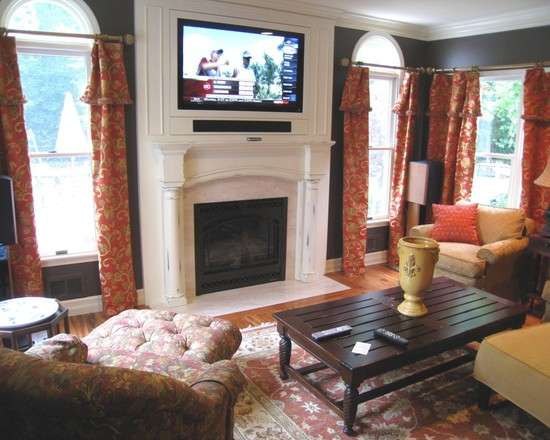
Why the remote hunt happens in nice homes
Most family rooms were built one box at a time. First the TV, then a cable box or a streaming box, then a soundbar or a receiver, then maybe smart lights or motorized shades. Every new piece came with its own remote or its own app.
Each one works fine by itself. The trouble starts when you need four of them to work together, in the right order, while the house is full. Turn on the TV first and the sound comes out of the wrong speakers. Turn on the receiver first and it picks the wrong input. Pick up the streaming remote and the TV doesn’t change at all.
Usually one person in the house knows the order. That person gets called from the kitchen every time the picture goes black. Grandma gives up and asks the kids. The kids hand her a phone. Ten minutes later, everyone’s watching the game on a tiny screen in the next room.
I see this in beautiful homes with great equipment. It’s not a cheap-gear problem. It’s a planning problem. Nobody ever set the pieces up to act like one system, so the house only works when the right person is home.
What one button really means
One button means you press one thing, and the whole room gets ready for what you want to do. You don’t think about inputs, boxes or which remote goes with which device.
Here’s what happens behind the scenes when someone presses “Game” in a room we’ve set up:
- The TV turns on and goes to the right input.
- The cable or streaming box turns on and goes to the channel or app you picked for that button.
- The amplifier or receiver turns on and sends the sound to the room’s real speakers, not the little ones in the TV.
- The volume starts at a level that’s comfortable, not the level someone left it at last night.
- The lights dim a little and the shades close partway, so the screen isn’t washed out by the afternoon sun.
When the game ends, one more press on “Off” turns everything off together. Nothing gets left on all night, and nothing ends up on the wrong input for the next person.
The system remembers the order, so people don’t have to. That’s the whole idea. A great room should be as easy as a light switch.
The buttons I set up for most families
I keep the list short. Too many choices make a remote just as confusing as four remotes. Most families need about five buttons in the main room, and they’re labeled in plain words.
- Game: the TV on the game, the big sound on, and the lights set for the afternoon.
- Movie: the streaming box on, the lights low, the shades closed and the sound tuned for dialogue and effects.
- Music: the TV stays off and music plays in the room, or in the kitchen and the family room together.
- Dinner: the music drops to background level everywhere and the lights in the dining room come up.
- Off: everything in the room turns off together.
Some families add a “Kids” button that opens the kids’ app at a safe volume, or a “Goodnight” button at the door that turns off the whole first floor. We pick the buttons with you, based on how your family actually uses the room. If a button doesn’t get used after a few weeks, we take it away.
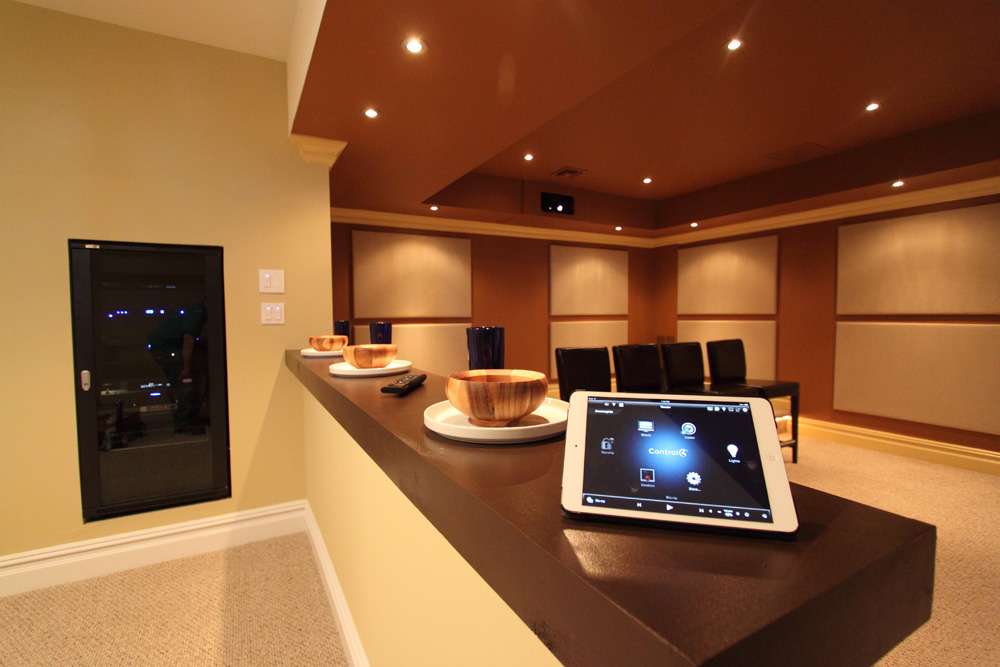
Most of the time, we build this with Control4. I like it because it’s reliable, it can run the TVs, the speakers, the lights, the shades and the thermostats from one place, and it grows with the house. You can start with the family room and add the kitchen, the basement and the patio later on the same system.
The remote isn’t the only way in
A good system doesn’t depend on one remote. Remotes get lost. They end up under couch cushions, in coat pockets and, at least in our cartoon this year, under a very happy turkey.
So I give every main room more than one way in:
- A simple remote with real buttons, the same layout in every room.
- A small touch screen on the wall or the counter, where people expect a light switch.
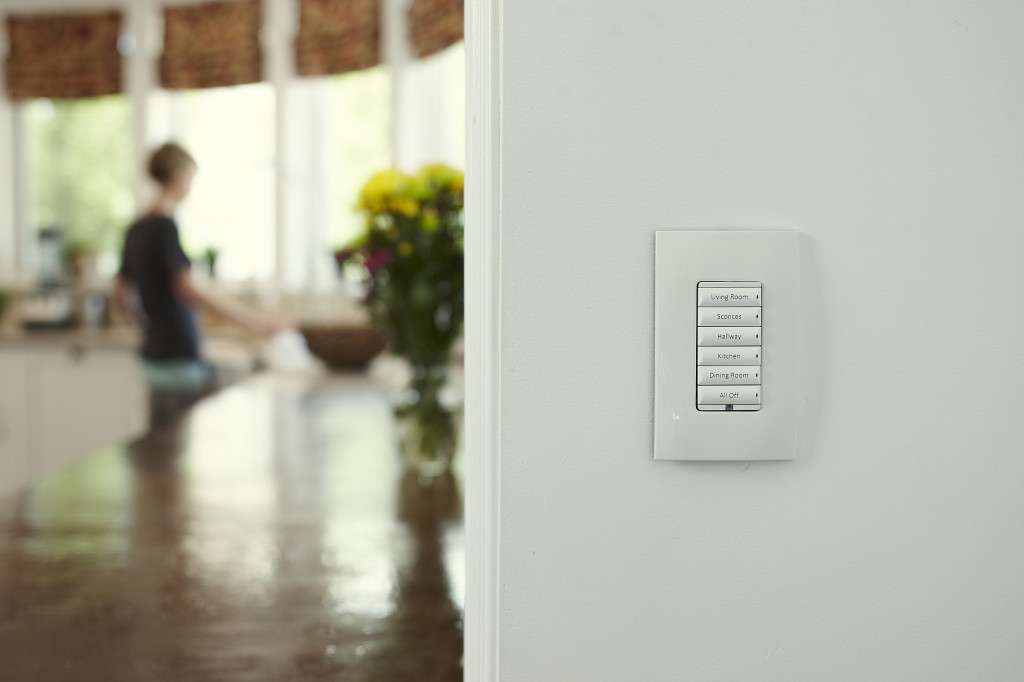
- Keypads by the door with labeled buttons for the scenes you use most.
- An app on your phone or tablet, for when you’re in another room or not home at all.
- Voice control, if your family likes it. I treat it as a bonus, not the main way to run the room.
Every one of these shows the same buttons with the same names. Learn it once, and you know it everywhere. That matters for parents and grandparents who don’t want to learn a new gadget every time they visit.
If you’d like to see what this looks like in a home like yours, take a look at this week’s page, or call or text me at (973) 945-5275.
Planning the whole house, not one room
On a big day, nobody stays in one room. The game’s on in the family room. Someone wants the pregame on the TV by the bar. Music plays in the kitchen while people cook. The kids have a movie going in the basement.
When every room is planned as part of one system, each room does its own thing without a fight. Here are a few things I set up all the time:
- The same game on two or three TVs at once, in sync, so the cheer in the kitchen doesn’t come a few seconds after the cheer in the family room.
- Different music in different rooms, or the same playlist through the whole first floor.
- One button at dinner time that turns the music down everywhere so people hear you.
- A patio or pool area that joins the system, so the game or the music can go outside when the weather’s nice.
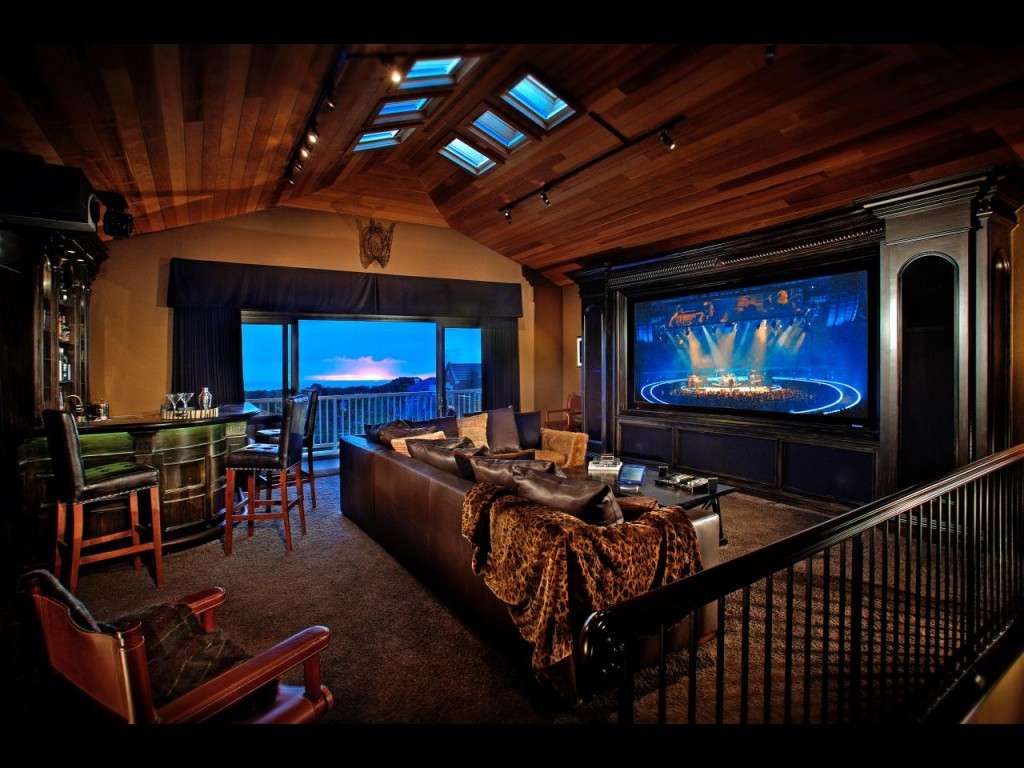
The way we usually do this is with the boxes in one place, like a closet or a cabinet in the basement, and the video and sound sent out to each room. That way you don’t need a cable box and a pile of equipment under every TV. Any source can go to any TV. The rooms look clean, and there’s one spot for my team to service.
What has to be right behind the walls
The buttons are the part you see. What makes them work every time is the part you don’t see. This is the boring stuff, and it’s where most problems start.
First, the wiring. I want a real network cable to every TV and every main box wherever I can get one, not just Wi-Fi. Streaming boxes, TVs and control systems all work better on a wire. I also want the right video cables to each TV, run so they can be replaced later without opening the walls.
Second, the network. Every streaming app, every phone and the control app all lean on it. I don’t lead with Wi-Fi, but I always check it. A great TV on weak Wi-Fi still buffers in the fourth quarter. If the network isn’t strong enough, we fix that first, because everything else depends on it.
Third, how the system talks to each device. Some devices take commands over the network, which is the most reliable way. Older devices only listen to an infrared signal, like a regular remote, so we place a small emitter on them. I pick the most dependable way for each piece. That’s how one button gets the same result every time, not most of the time.
Fourth, where the equipment lives. Boxes need air and power. We put them in a ventilated cabinet or closet, on good power protection, and we label every cable. When something needs attention years from now, my team can find it in minutes.
None of this is exciting, and I won’t make you learn it. I explain it because it’s the difference between a system that works on a quiet Tuesday and one that still works when twenty people are in the house.
Making it easy for parents, kids and guests
The real test of a family room isn’t how it works for the person who paid for it. It’s how it works for a guest who’s never seen it before, or for a grandparent who doesn’t like technology.
Here’s what I do to make sure anyone can use it:
- Plain names on every button. “Game,” not “HDMI 3.”
- The same layout on every remote and screen in the house.
- A start volume that’s sensible, so nobody gets blasted.
- No menus to dig through for the things you do every day.
- A short walkthrough with your family when we’re done, including the people who’ll visit most.
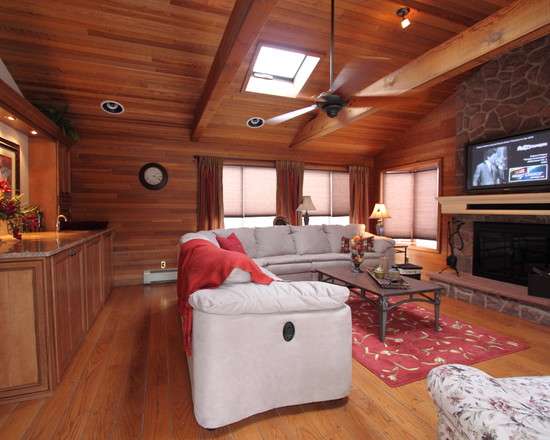
When we finish a room, we test it with the people who’ll actually use it, kids and grandparents included. If someone gets stuck, that’s our problem to fix, not theirs to learn. I’d rather change a button name than have your mother call you during the game.
What I check when I visit your home
A visit starts with how your family lives, not with equipment. I walk through the rooms you use most, and I ask who uses them and for what.
Then I look at what’s there today:
- Every remote, box and app you use now, and which ones we can retire.
- The TVs and speakers you have, and whether they’re worth keeping.
- Where the equipment can live, so the rooms look clean.
- The wiring and the Wi-Fi, room by room.
- The lights and shades, so the screen looks great day and night.
- Any rooms you’d like to add later, like the basement, the patio or the pool.
After the visit, you get one plan for the whole house, written in plain words. It shows what we’d do in each room, what can stay and what we’d change. My team installs it, we set up the buttons with you, and we come back if anything needs a tweak.
Keep what works and change what doesn’t
I don’t believe in ripping everything out. If your TV is good, we keep it. If your speakers sound great, we keep them. A lot of the time, the equipment is fine and the missing piece is the control and the planning around it.
Sometimes a piece does hold the room back. It might be an older receiver that can’t pass the newest video, a TV with no network control, or a soundbar that can’t fill a big room. When that happens, I’ll tell you straight and explain why. You’ll decide with the full picture in front of you.
Where I do suggest an upgrade, it’s for a result you can feel, like clearer voices, a better picture or a room that just works. I’m not trying to sell you boxes.
When to start
My honest answer is to start when you’re ready, and not to rush it for a holiday. A good system takes planning, and most installs need about two weeks or more once you decide, depending on the house and what goes into it.
That’s why this week is for enjoying the day, not for projects. Watch the game. Eat too much. Let the turkey keep the remote.
Once the dishes are done, a lot of families start thinking about Christmas movie nights and the big games in December and January. If that’s you, the living room or den you already use is usually the best place to start. My advice for that room is simple. Pick a smaller but better screen, like a high-quality Sony, and put the real budget into the speakers and amps, like Triad speakers and McIntosh amplifiers. Then tie it all to one button.
I won’t promise a finish date before I see your home. What I’ll do is look at the room, tell you what it can become, and set an install date with you that’s honest.
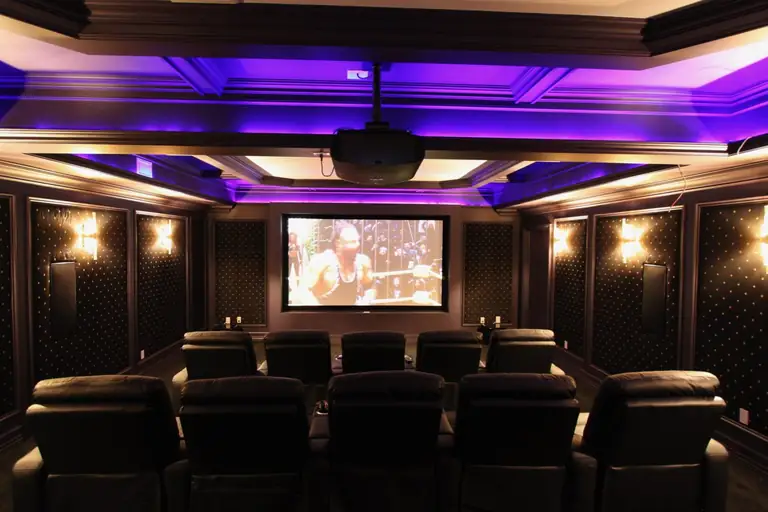
If you want to go further, I wrote about what makes a dedicated home theater room feel real, and there’s more on our home theater for the holidays page.
What a system like this can and can’t do
I want you to know the limits up front. A good control system makes the house easy, but it can’t fix everything outside your walls.
If your internet provider goes down, streaming apps stop until it comes back. The buttons still work for cable, local video, music on the system and the lights, but nobody can stream a show that can’t reach the internet.
Streaming apps also change on their own. Sometimes an app update moves a menu or asks you to sign in again. That’s not your system breaking, and my team can help when it happens.
And no system makes a bad room sound great by itself. If a room has hard walls and no rugs, voices can still echo. When that’s an issue, I’ll tell you, and we’ll talk about simple ways to fix it.
What a good system does do is take the daily stress out of the room. The things you do every day work every day, for everyone, without a phone call to you.
Questions people ask me
Can you set this up before Thanksgiving?
No, not this week, and I won’t pretend otherwise. A good system takes planning and about two weeks or more once you decide. Enjoy the holiday, and when you’re ready, I’ll give you an honest timeline for Christmas or the new year.
Do we have to replace the TVs and speakers we already have?
Often, no. My team looks at what you have and I tell you straight what can stay and what would hold the house back. We only suggest a change when it really makes a difference.
Will my parents and guests really be able to use it?
Yes, that’s the main goal. The buttons are labeled in plain words like Game, Movie and Music, and one press turns on the screen, the sound and the lights in the right order.
What if the remote goes missing?
You still have control. The same buttons are on a wall touch screen and in the app on your phone, so the game goes on even when the remote’s under a couch cushion.
Is this only for one room?
No, it can cover the whole house. We usually start with the room your family uses most, then add the kitchen, the basement, the patio or any other room on the same system.
What happens if something stops working?
You call or text me. My team set it up, so we know your system and can help you quickly.
If one room in your house always turns into a remote hunt, I’d love to help. Call me at (973) 945-5275 or text me, or see how one button can run it all. Happy Thanksgiving, and thank you.
Meet Ryan

Ryan Herd is the founder of One Sound Choice. He’s spent over 35 years in tech, he’s a former Mayor of Pequannock who served two terms and eight years on the council, and he’s a TEDx speaker, a patent holder and the author of Join the Smart Home Revolution. When Ryan plans a room, he starts with the people who’ll use it. Read more about Ryan.
Where we work
One Sound Choice designs and installs whole-home audio and video, home theaters, lighting control, Wi-Fi and smart home systems across Morris, Bergen, Essex, Passaic, Somerset and Hunterdon counties in Northern New Jersey, and for clients in Manhattan.
One Sound Choice, 8 Tilley Ave, Pompton Plains, NJ 07444. Phone: (973) 945-5275. You can also text me.