
When your internet connection fails, your smart home systems – like security cameras, voice assistants, and automated routines – can stop working. Failover technology solves this by automatically switching your network to a backup connection, such as LTE or 5G, ensuring your devices stay online. This is especially critical for security systems, as outages can leave your home vulnerable to intrusions or prevent alerts from reaching monitoring services.
Key Points:
- Failover Basics: Automatically switches to a backup internet connection (e.g., cellular or satellite) when the primary one fails.
- Why It Matters: Keeps security systems, cameras, and smart devices functional during outages.
- Backup Options: LTE/5G, secondary broadband, satellite, or mobile hotspots.
- Professional Integration: Advanced solutions include dual-WAN routers, cellular modems, and UPS for power backup.
Failover ensures reliability for your smart home, minimizing downtime and protecting essential systems during unexpected disruptions.
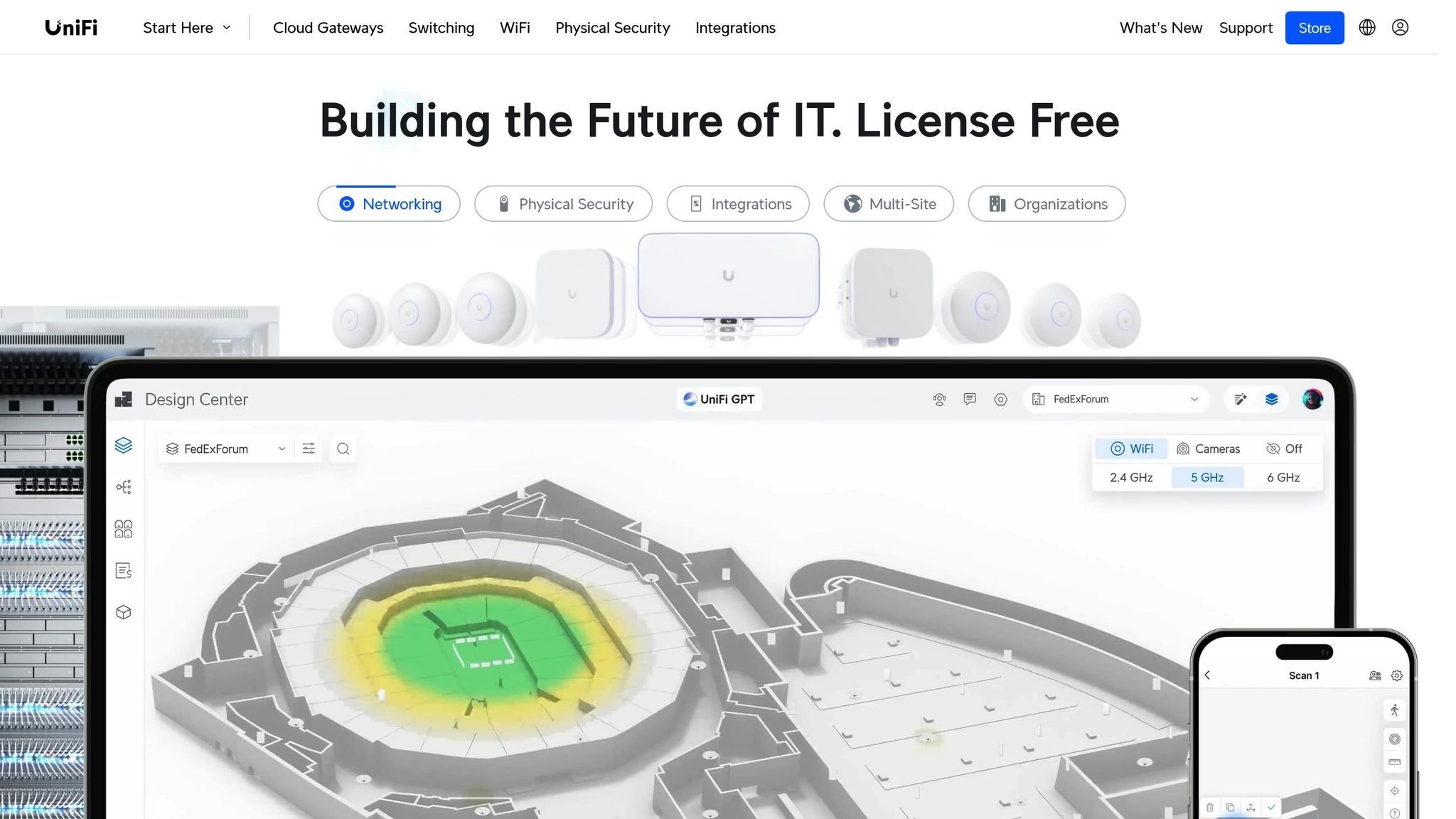
Stop Internet Downtime! Dual WAN Setup with UniFi Gateways
sbb-itb-c5b321b
What Is Network Failover and How Does It Work?
Network failover is a system that automatically shifts your internet traffic from a primary connection to a backup link when the main connection goes down [2]. Think of it as a safety net that keeps your devices connected, even during unexpected outages.
Here’s how it works: the system constantly monitors your primary connection. If it detects an issue – like a fiber cut, hardware failure, or network congestion – it quickly reroutes traffic to a backup connection. This switchover usually happens in under a minute and is so seamless that most users won’t even notice. Once the primary connection is back online, the system automatically switches back to it.
This technology is especially important for keeping essential devices online. While a 99.5% uptime might sound reliable, it still means about four hours of downtime per month [10]. With a failover system in place, you can push uptime closer to 99.99%. That’s a big difference, especially for businesses or homes relying on uninterrupted connectivity.
How Does Internet Failover Work?
The failover process is simple and automatic. The router monitors the primary connection in real time. If it detects a failure, traffic is instantly redirected to the backup link, ensuring a smooth transition. When the primary connection is restored, the system switches back to it – a process known as failback.
There are two main types of failover systems:
- Active-Passive Systems: The backup connection stays on standby and only activates when the primary fails. While effective, this approach can result in a slight delay during the switchover.
- Active-Active Systems: Both connections are active simultaneously, balancing the load between them. This setup nearly eliminates downtime because the backup is already in use.
In addition to these methods, there are various types of backup connections designed to meet different needs.
What Types of Backup Connections Are Available?
Choosing the right backup connection depends on your specific requirements and available options. Here are some of the most common choices:
| Backup Connection Type | Best For | Key Benefit |
|---|---|---|
| LTE/5G Cellular | Homes and small offices | Avoids physical line damage by using wireless pathways |
| Secondary Broadband | High-bandwidth needs | Offers faster speeds during outages, though it may share infrastructure risks |
| Satellite | Rural areas | Provides connectivity where other options are unavailable |
| Mobile Hotspot | Temporary emergencies | Quick and easy solution using your smartphone’s hotspot feature |
For many, LTE and 5G are popular because they rely on wireless signals, making them less vulnerable to physical disruptions like damaged cables. Secondary broadband lines can deliver higher speeds but might not be as reliable if the same infrastructure is affected. Satellite internet is a solid choice for rural areas, though it often comes with slower speeds. And in a pinch, a smartphone’s mobile hotspot can serve as a quick backup, especially if it’s pre-configured to match your home network.
Each option has its strengths, so the best choice depends on your situation and how much reliability you need.
Why Smart Homes Need Failover Protection
When your internet connection drops, your smart home can lose key functionalities. Security cameras stop working, voice assistants go silent, and automated routines grind to a halt. The risks are even greater when it comes to home security. Alerts for door sensors or motion detectors stop, and live camera feeds disappear since streaming relies on a stable internet connection [5][6]. Intruders could exploit this by cutting internet lines, disabling your security system right when you need it most. That’s why having a failover system is so important for smart home security.
Failover systems provide a backup by automatically switching to a cellular LTE or 5G connection when your primary internet goes offline [11][8]. This seamless switch ensures your security system stays connected to professional monitoring services, so you continue receiving alerts on your phone. Many professional systems use dual-path communication, which keeps downtime to a minimum. If someone cuts your cable or a storm knocks out your fiber connection, the cellular backup kicks in immediately. Cameras keep recording, and alerts continue to flow to you and monitoring centers [13][6]. Advanced systems even notify monitoring centers if they’re tampered with – some can still send alerts even if the control panel is destroyed – ensuring help arrives quickly [12].
How Does Failover Protect Security and Monitoring Systems?
Security systems are the biggest beneficiaries of failover protection. Without it, an internet outage reduces your smart security system to a simple noise maker. There’s no remote access, no video footage, and no way for monitoring centers to send help [6].
Failover ensures uninterrupted connectivity, which is critical for security systems. A cellular backup keeps communication going even when your primary internet service is unavailable. Cameras keep recording, and alerts continue to reach both you and professional monitoring centers [13][6]. This kind of protection ensures you’ll get the help you need when it matters most [12].
What Other Systems Benefit from Failover?
Failover isn’t just for security – it also supports other essential smart home functions. For example, voice assistants rely on cloud connectivity, and failover helps keep them responsive even during an outage [3].
Smart thermostats and lighting systems also depend on a steady internet connection [9]. With failover, automated lighting and climate control stay functional, and you can still manage these systems through smartphone apps, even if your main internet line goes down [3][6].
Smart thermostats, in particular, benefit from failover. They often pull real-time weather data from the internet to optimize heating and cooling. A failover system keeps this data stream active, helping you maintain energy efficiency [3]. While local protocols like Zigbee and Z-Wave can handle basic tasks offline, failover is essential for hybrid systems that rely on cloud-based triggers to activate local scenes [9]. These added benefits enhance failover’s role in maintaining a fully functional smart home, ensuring security and convenience go hand in hand.
Common Failover Solutions for Home Networks
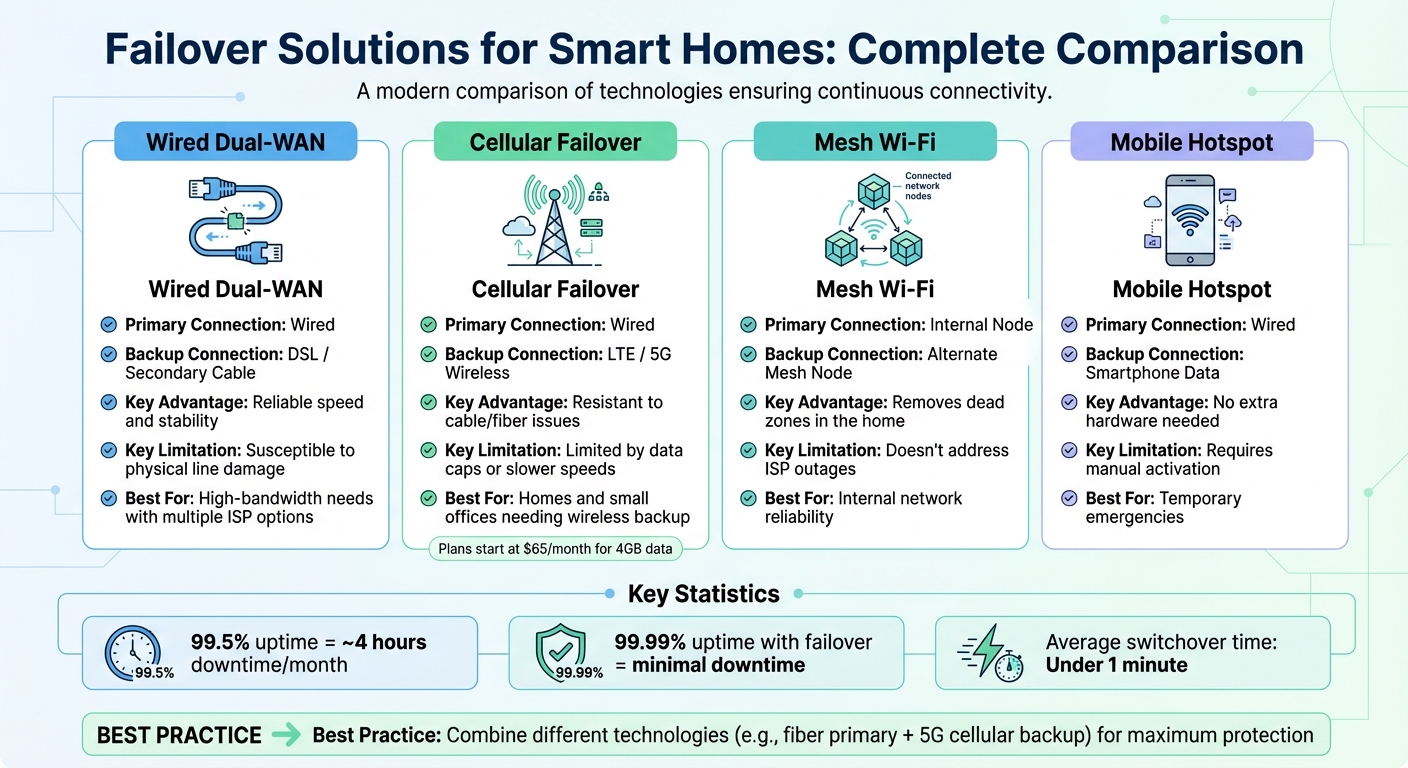
Smart Home Failover Solutions Comparison: Features, Benefits and Limitations
Keeping your smart home connected when your primary internet goes down is easier with the right tools. A dual-WAN router is one of the most effective options. These routers have two Wide Area Network ports, allowing you to connect to two different ISPs simultaneously [4]. You can set them to failover mode, where the router automatically switches to the backup connection if the primary one fails. Alternatively, you can use load balancing, which splits traffic between both connections for better speed and efficiency [4]. This setup is a solid foundation for more advanced solutions, like cellular failover.
Cellular failover provides backup internet using LTE or 5G networks. A cellular modem, either built into your router or attached via USB, ensures connectivity even if your wired internet is disrupted [14][8]. The router constantly monitors the primary connection and shifts traffic to the cellular network if it detects a failure [2][4].
"Wireless branch continuity solutions provide instant failover protection by offering a diverse pathway through the air." – James Weaver, Cradlepoint [2]
During power outages, an Uninterruptible Power Supply (UPS) is essential. It keeps critical devices powered, ensuring your failover system remains operational [4][7]. UPS batteries vary in lifespan – lead-acid models last 2 to 5 years, while lithium-ion versions can last up to 10 years [7]. Without a UPS, even the best failover setup won’t help during a blackout.
What Is Cellular Failover and How Does It Work?
Cellular failover complements dual-WAN setups by offering a wireless backup connection that doesn’t rely on your home’s physical wiring. It uses mobile networks like LTE or 5G to keep your smart home online when your primary connection fails [14][8]. This is especially useful in scenarios like construction crews accidentally cutting underground cables, storms bringing down lines, or even deliberate tampering.
Here’s how it works: when the primary connection drops or slows below a certain threshold, the router automatically switches to the cellular network [2][4]. Once the main connection is restored, the system reverts to it. Some providers can restore connectivity in less than a minute [1].
The downside? Data caps and speed. Many cellular failover plans have monthly data limits, and exceeding them can lead to extra charges – often around $4 per gigabyte [15]. To avoid high costs, configure your router to prioritize essential devices like security cameras, smart locks, and thermostats, while limiting bandwidth-heavy activities like streaming in 4K. For instance, Cellcom offers business failover plans starting at $65 per month for 4GB of data, with options up to $80 per month for 12GB and unlimited failover usage [15].
Comparison of Failover Solutions for Smart Homes
Different failover technologies come with their own strengths and weaknesses. While a UPS protects against power outages, cellular failover ensures your network stays online. The table below highlights the differences between popular options:
| Failover Technology | Primary Connection Type | Backup Connection Type | Key Advantage | Key Limitation |
|---|---|---|---|---|
| Wired Dual-WAN | Wired | DSL / Secondary Cable | Reliable speed and stability | Susceptible to physical line damage |
| Cellular Failover | Wired | LTE / 5G Wireless | Resistant to cable/fiber issues | Limited by data caps or slower speeds |
| Mesh Wi-Fi | Internal Node | Alternate Mesh Node | Removes dead zones in the home | Doesn’t address ISP outages |
| Mobile Hotspot | Wired | Smartphone Data | No extra hardware needed | Requires manual activation |
For the best protection, mix technologies for your primary and backup connections. For example, pairing a fiber connection with a 5G cellular adapter ensures that even widespread wired outages won’t leave you offline [11]. And don’t forget to connect your failover equipment to a UPS – your dual-WAN router won’t be much help if it loses power during an outage [4].
How Professional Integration Improves Failover Systems
When it comes to failover systems, professional integrators bring a level of reliability that consumer-grade equipment just can’t match. They rely on enterprise-grade hardware from trusted manufacturers like Cradlepoint and Fortinet, designed to handle heavy traffic loads without breaking a sweat. In contrast, consumer-grade routers and mobile hotspots often buckle under the demands of modern smart homes, leaving you vulnerable during critical moments [17].
One of the standout features of professional-grade setups is automated link-monitoring. These systems can detect outages within seconds and seamlessly switch to backup connections. This means your security cameras, smart locks, and climate controls stay operational without you lifting a finger. As RCN Technologies puts it:
"Failover is a set-it-and-forget-it solution… the device seamlessly switches over to the cellular network. This happens in seconds (or faster), so your team and customers might not even notice a blip" [17].
What Do Professional Integrators Consider When Designing Failover Systems?
Professional integrators focus on removing single points of failure, ensuring your system is as resilient as possible. For example, they often pair a primary fiber connection with a 5G cellular backup and use dual-modem routers that keep SIM cards from two different carriers active at all times [2]. This dual-layered approach ensures that if one connection fails, the other is ready to step in.
Power reliability is another crucial factor. Integrators install Uninterruptible Power Supplies (UPS) tailored to the specific wattage of your network equipment. Lithium-ion UPS models, which can last up to a decade, are a popular choice for their durability and efficiency [7]. Additionally, they configure Quality of Service (QoS) settings to prioritize bandwidth for essential systems like security cameras and medical alerts, ensuring these critical devices remain functional even during a failover event [4].
Another key consideration is whether your smart devices operate through cloud services or local APIs. Devices using local protocols like Zigbee or Z-Wave are often preferred since they can continue functioning even if your internet connection goes down [7].
One Sound Choice, a New Jersey-based integrator, applies these principles to create failover systems tailored to the unique needs of family homes in the region.
How Does One Sound Choice Design Failover Systems?
One Sound Choice takes failover systems to the next level by combining robust connectivity solutions with power resilience. Their team, backed by over 30 years of experience and more than 2,500 successful installations, understands that every home has its own set of priorities. Whether it’s keeping security systems online, maintaining reliable internet for remote work, or ensuring kids can access virtual learning, they’ve got it covered.
Their process starts with a detailed site survey to identify the best cellular carrier for your location. This ensures the backup connection is strong enough to support critical tasks [16]. They also connect all networking equipment to appropriately sized UPS units, guaranteeing uninterrupted power. To make sure essential systems like security cameras and climate controls get priority bandwidth during an outage, they meticulously configure traffic management settings [4].
What truly sets One Sound Choice apart is their commitment to ongoing support. Led by Ryan "The Smart Guy" Herd, their team doesn’t just install your failover system – they monitor and test it regularly to make sure it’s always ready when you need it. They also offer training, so your family knows exactly how the system works and what to expect during an outage. This hands-on approach ensures your home stays connected and secure, no matter what challenges arise.
Conclusion
Failover protection is a game-changer for keeping your smart home running smoothly, even when your primary internet connection goes down. Whether it’s due to an ISP outage or a power failure, a failover system steps in instantly, switching to a cellular backup so your security systems stay online. As Rob Gabriele of SafeHome.org aptly says:
"A power outage is exactly the wrong time for your security system to stop working, because a blackout is no secret" [18].
The numbers speak for themselves. On average, Americans experience 1.42 power outages each year, with each lasting more than seven hours [18]. Without a failover system, your smart home could essentially go offline during these critical hours. Compare that to professional failover setups, which can deliver a network reliability of 99.99% uptime – far better than the nearly four hours of monthly downtime seen with a standard 99.5% uptime network [10]. This level of reliability underscores the importance of professional-grade solutions.
Professional failover systems go beyond a simple backup connection. They use enterprise-grade hardware and advanced traffic management to prioritize essential tasks like security alerts and medical monitoring. With Quality of Service settings finely tuned by professional integrators, critical functions take precedence over less important activities like streaming. Experts also conduct site surveys to identify the best cellular carrier for your area, ensuring your backup connection is ready to handle what matters most.
For families in Northern New Jersey, One Sound Choice brings over three decades of experience in creating failover systems customized to your home’s needs. Their services don’t stop at installation – they also provide regular testing, training, and ongoing support. With this level of expertise, One Sound Choice delivers the kind of integrated solutions that keep your smart home secure and connected when it counts the most.
What One Sound Choice clients say
(We received) friendly, highly competent, quick and clean installation by 1 Sound Choice. The team followed up a few weeks after completion to ask if we were satisfied with our Media Room and Home Audio System. 1 Sound Choice is truly “top shelf” – they surpassed our expectations every step of the way.
– Mr. & Mrs. Blake (1 Sound Choice client testimonials)
Ryan listened to us – he understood what we wanted to accomplish. (The 1 Sound Choice team’s) commitment to post-installation support and service has been unbelievable. They are professionals in every aspect and have gained our trust throughout the completion of our project.
– Mr. & Mrs. Maytin (1 Sound Choice client testimonials)
Very efficient and professional. Knowledgeable of equipment and products suited for your space/home. Perfectionists at their job and get the task done in promised time.
– dmhajjar (Houzz review)
FAQs
What’s the difference between active-passive and active-active failover systems?
When it comes to failover systems, there are two main approaches: active-passive and active-active.
In an active-passive setup, one system takes care of all operations, while a backup system stays idle, ready to step in only if the primary system fails. On the other hand, an active-active setup has multiple systems working together at the same time, sharing the workload. If one system goes down, the others can immediately pick up the slack without interruption.
Active-passive configurations are less complex and often easier on the budget. However, active-active setups offer better performance and reliability since tasks are continuously distributed across multiple systems. The right choice for your smart home will depend on your priorities – whether that’s speed, redundancy, or ensuring everything runs smoothly without a hitch.
What’s the best way to ensure my smart home stays connected during an internet outage?
To keep your smart home running smoothly during a power outage, start by checking if your primary internet provider offers backup power for their service. If they do, it can save you the hassle of setting up additional systems.
Next, consider a secondary internet connection that meets your needs. Options include a cellular/5G router, satellite connection, fixed wireless, or even a second broadband line. Make sure the option you choose offers enough bandwidth and low latency to handle your smart devices effectively.
For a hassle-free experience, invest in a router with a built-in UPS (uninterruptible power supply) or a dedicated failover device. These tools automatically switch to your backup connection, ensuring your smart home stays connected without any interruptions.
Why is professional setup crucial for failover systems in smart homes?
A well-designed failover system keeps your smart home running smoothly, even when the internet goes down. By automatically switching to a backup connection, it ensures critical devices like security cameras, lights, and other automated systems continue working without interruption.
Having experts handle the installation means the system is customized to fit your home’s unique setup. This not only maximizes performance but also ensures long-term dependability. With professional support, you can feel confident that your smart home will remain connected and secure, no matter the circumstances.
Related Blog Posts
- AI-Powered Smart Security System
- Smart Home Security Systems vs Traditional Alarms: What’s Best?
- Smart Home Questions Answered: 15 Common Concerns for Families
- Future-Proofing Smart Homes with Low-Voltage Wiring
Rooms that drop Wi-Fi? See our new home Wi-Fi page.
One Sound Choice, 8 Tilley Ave, Pompton Plains, NJ 07444. Call or text (973) 945-5275. We work in homes across Morris, Passaic, Bergen, Essex, Somerset, and Hunterdon counties. Written by Ryan Herd, founder of One Sound Choice.